
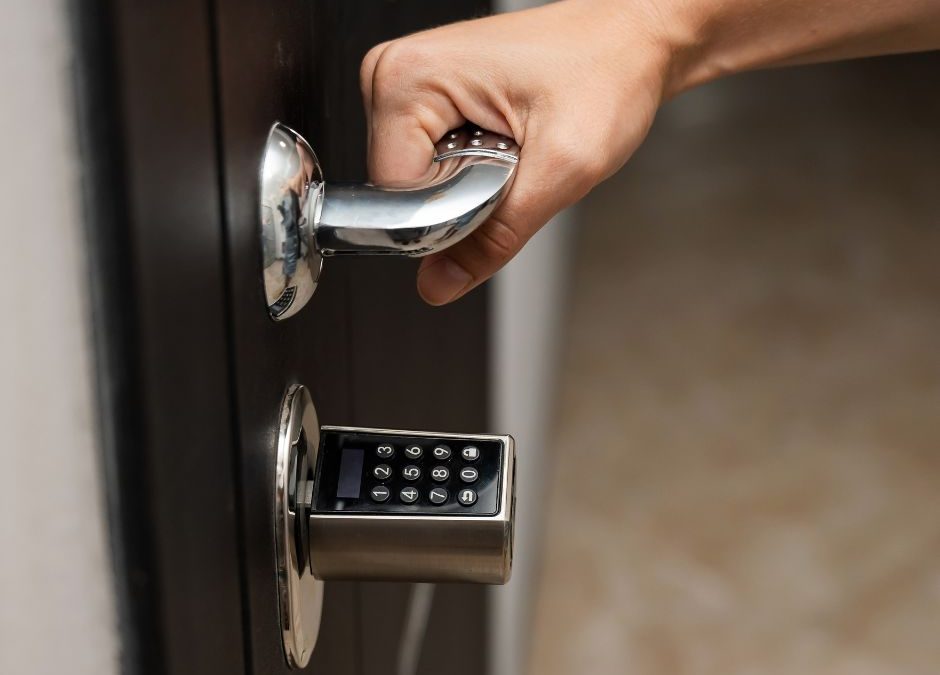
Locks and electronic access equipment are essential parts of business security, but they cannot be installed and forgotten. Door hardware wears through repeated use, electronic components can fail, employee permissions become outdated, and small alignment problems may prevent a door from locking correctly.
A structured access control maintenance plan helps businesses inspect physical locks, review electronic credentials, test exit hardware, document repairs, and prepare for unexpected failures. It can reduce security gaps, costly downtime, and disruptive business lockouts.
For businesses in Euless, Texas, the following steps provide a practical foundation for maintaining commercial locks and access-control equipment.
Why Access Control Maintenance Matters
An access control system determines who can enter a building or restricted area. It may use keys, access cards, PIN codes, mobile credentials, biometric readers, or a combination of technologies.
The system may appear to work normally while underlying problems develop, including:
- Loose lock hardware
- Misaligned doors
- Worn cylinders
- Damaged wiring
- Weak batteries
- Unresponsive readers
- Outdated credentials
- Faulty door-position sensors
- Slow electric strikes
- Incomplete locking
- Unreliable push bars
- Missing maintenance records
Regular inspections help identify these problems before a door fails to secure, an employee becomes locked out, or unauthorized access remains active.
Step 1: Inventory Every Controlled Opening
Begin by creating a list of every exterior and restricted interior door. Do not limit the inventory to the main entrance.
Include:
- Front entrances
- Employee entrances
- Loading docks
- Rear service doors
- Stockrooms
- Offices
- Server rooms
- Equipment rooms
- Cash-handling areas
- Warehouses
- Utility spaces
- Gates
- Emergency exits
- Interior restricted areas
Assign a unique name or number to each opening. For example, “Door 01—Main Entrance” is easier to track than simply writing “front door.”
For each opening, record:
- Door location
- Door material
- Frame material
- Lock type
- Keyway or cylinder type
- Electronic hardware
- Access reader
- Exit hardware
- Door closer
- Contact sensor
- Installation date
- Last service date
- Known problems
- Responsible department
This inventory becomes the foundation of the maintenance program.
Step 2: Identify Every Lock and Access-Control Component
A commercial opening may contain several mechanical and electronic parts.
Components may include:
- Mortise locks
- Cylindrical locks
- Deadbolts
- High-security lock cylinders
- Electric strikes
- Magnetic locks
- Electronic keypads
- Card readers
- Smart locks
- Request-to-exit devices
- Door-position switches
- Push bars
- Door closers
- Hinges
- Power supplies
- Backup batteries
- Control panels
- Credential-management software
The maintenance plan should address the complete opening. Servicing an electronic reader will not solve a mechanical lock that binds because the door is sagging.
Step 3: Classify Doors by Security Priority
Not every door requires the same inspection frequency. Classify each opening according to the level of risk and operational importance.
| Priority | Examples | Suggested attention |
|---|---|---|
| Critical | Server rooms, cash areas, controlled inventory | Frequent testing and credential review |
| High | Exterior entrances, loading docks, management offices | Regular inspection and documented service |
| Standard | General offices and staff-only rooms | Routine scheduled maintenance |
| Life-safety | Required exit doors and push bars | Inspection based on applicable requirements |
| Low-use | Storage rooms opened infrequently | Periodic inspection and operational testing |
The actual schedule should reflect usage, hardware, manufacturer recommendations, and applicable building or fire-safety requirements.
Step 4: Establish Daily Employee Checks
Employees can help identify obvious problems between professional inspections. Daily checks should be brief and should not require workers to disassemble or adjust hardware.
Authorized employees may confirm that:
- Exterior doors close fully
- Latches engage
- Electronic readers respond
- Keypads accept valid credentials
- Doors do not remain propped open
- Push bars release the doors
- No hardware is visibly loose
- Door alarms are not showing faults
- Unauthorized devices have not been attached
- Emergency exits remain unobstructed
Problems should be reported through a defined process rather than ignored or temporarily bypassed.
Step 5: Create a Monthly Inspection Checklist
A designated manager can conduct a more detailed monthly visual inspection.
The checklist may include:
Mechanical Locks
- Does the key enter smoothly?
- Does the cylinder feel loose?
- Does the latch retract fully?
- Does the deadbolt extend completely?
- Is the strike plate secure?
- Does the door need to be pushed or lifted to lock?
- Are handles or levers loose?
Electronic Hardware
- Does the reader respond consistently?
- Does the electronic keypad register every button?
- Are displays and indicator lights working?
- Does the electric strike release correctly?
- Does the lock secure after the door closes?
- Are wires or housings visibly damaged?
Door Components
- Are the hinges secure?
- Does the closer shut the door completely?
- Is the frame damaged?
- Does the door drag?
- Are weather seals interfering with closing?
- Are door-position sensors functioning?
Exit Hardware
- Does the push bar release smoothly?
- Does it return to its normal position?
- Is the exit path clear?
- Has anyone added an unauthorized chain, lock, or obstruction?
- Does the door relatch after closing?
Life-safety hardware should be serviced only by qualified professionals following applicable requirements.
Step 6: Schedule Professional Preventive Maintenance
Employees can observe doors, but professional service is needed for adjustments, repairs, and specialized testing.
Professional maintenance may include:
- Inspecting commercial lock hardware
- Tightening appropriate fasteners
- Correcting door alignment
- Adjusting strikes
- Servicing cylinders
- Testing electric strikes
- Testing magnetic locks
- Inspecting wiring
- Checking power supplies
- Testing backup batteries
- Reviewing reader operation
- Testing request-to-exit devices
- Inspecting push bars
- Adjusting door closers
- Reviewing access-control faults
- Documenting recommended repairs
Service frequency depends on door use and risk. A heavily used employee entrance may need more attention than a low-use storage-room door.
Step 7: Review Access Permissions Regularly
Access control maintenance involves more than physical equipment. User permissions must also be reviewed.
The business should periodically confirm:
- Which employees have active credentials
- Which doors each employee can access
- Whether access schedules remain appropriate
- Whether former employees have been removed
- Whether lost cards have been disabled
- Whether contractor access has expired
- Whether temporary credentials remain active
- Whether administrators still need elevated permissions
- Whether shared codes should be changed
Access should generally reflect the person’s current job responsibilities. Employees should not retain access to restricted areas they no longer use.
Step 8: Create an Employee Offboarding Procedure
A former employee’s access should be removed promptly.
The offboarding checklist may include:
- Collect physical keys.
- Collect access cards and fobs.
- Disable mobile credentials.
- Remove keypad codes.
- Review shared codes known by the employee.
- Recover parking or gate credentials.
- Remove remote access.
- Document the date and person completing the change.
- Determine whether rekeying is necessary.
- Review unusual access activity when appropriate.
If a high-security key is not returned, the business should contact its locksmith or authorized key-system provider for guidance.
Step 9: Control Mechanical Keys
Even businesses with electronic access systems may still use keys for backup entry, offices, cabinets, and emergency procedures.
A key-control policy should document:
- Key number or identifier
- Door or area accessed
- Employee receiving the key
- Issue date
- Return date
- Authorization for duplication
- Lost-key procedure
- Spare-key storage
- Rekeying decisions
Avoid labeling keys with the business name, address, or exact door location. Store spare and master keys in a secure, controlled location.
Step 10: Maintain High-Security Lock Systems
A high-security lock may use reinforced components, restricted key blanks, and controlled duplication. These features can support business security, but the system still requires maintenance and recordkeeping.
Businesses should:
- Track every issued key
- Protect authorization cards
- Use approved duplicate-key providers
- Report lost keys immediately
- Inspect cylinders for wear
- Address door-alignment problems
- Maintain accurate key records
- Review who can approve duplicates
- Keep key-system documentation secure
Rekeying a basic lock does not convert it into a high-security system. A physical upgrade requires compatible hardware and professional lock installation.
Step 11: Maintain Electronic Keypads
An electronic keypad can provide convenient access without requiring every employee to carry a physical key.
Keypad maintenance should include:
- Testing every button
- Cleaning the exterior properly
- Checking the housing
- Inspecting for water damage
- Replacing batteries when applicable
- Reviewing error logs
- Updating shared codes
- Removing expired PINs
- Checking lock-release response
- Testing backup entry methods
Frequently used numbers may show visible wear, potentially revealing parts of a PIN. Individual credentials are generally easier to control than one permanent code shared by the entire staff.
Step 12: Inspect Push Bars and Exit Hardware
Push bars allow occupants to open designated doors from inside by applying pressure to the bar. Reliable operation is essential for safe exit.
Maintenance should check whether:
- The bar moves freely
- The latch retracts fully
- The hardware returns to its normal position
- The door closes and relatches
- Fasteners remain secure
- The door closer functions properly
- The opening is unobstructed
- No unauthorized lock has been added
Professional push-bar installation should account for the door, frame, occupancy, intended function, and applicable life-safety requirements.
Do not add a padlock, chain, deadbolt, or improvised device to required exit hardware without confirming that it is permitted. An attempt to improve security can create a dangerous exit obstruction.
Step 13: Test the Complete Access-Control System
An access control system includes more than the reader mounted beside the door. Testing should cover the entire sequence.
A complete test may confirm:
- The credential is presented.
- The reader recognizes it.
- The control panel processes the request.
- The lock releases.
- The door opens.
- The door-position sensor changes status.
- The door closes.
- The lock secures again.
- The event appears correctly in the system.
- Alarms activate when expected.
A reader may beep and display a green light even when a misaligned strike prevents the door from unlocking. Testing should confirm physical operation, not just an electronic response.
Step 14: Inspect Door Alignment
Many apparent lock failures begin with the door rather than the lock.
Alignment problems may result from:
- Loose hinges
- Building movement
- Damaged frames
- Heavy door use
- Improper closer adjustment
- Temperature changes
- Previous impact
- Worn pivots
- Incorrect installation
Signs include:
- The door drags on the floor
- The latch misses the strike
- Employees pull the door to lock it
- The electric strike buzzes without releasing
- The door does not close completely
- The deadbolt is difficult to extend
Continued operation can damage the lock, strike, closer, or electronic release mechanism.
Step 15: Plan for Power and Network Failures
Electronic access systems may depend on building power, batteries, network connections, or cloud services.
The maintenance plan should document:
- Backup-power capacity
- Battery replacement intervals
- Manual override procedures
- Emergency keys
- Alternate entrances
- Administrator contact information
- Network-failure procedures
- Fire-alarm integration
- Fail-safe or fail-secure behavior
- Recovery steps after power returns
Employees should understand the approved procedure without receiving access to technical information they do not need.
Step 16: Prepare for a Business Lockout
A business lockout can prevent employees from opening the facility or accessing a critical room. It can also interrupt deliveries, customer service, production, or cash handling.
Create a written response plan that identifies:
- Who may request locksmith service
- Which manager verifies authorization
- Which identification documents are available
- Where emergency keys are stored
- Who manages access-control accounts
- Which locksmith to contact
- How after-hours entry is approved
- How the incident will be documented
- Whether credentials must be reset afterward
Only authorized representatives should request entry into commercial premises or restricted areas.
Step 17: Create an Emergency Response Plan
Emergency lock problems can involve more than an ordinary lockout.
Immediate service may be needed when:
- An exterior door cannot be secured
- A key breaks inside a critical lock
- Access hardware is damaged during an attempted break-in
- The electronic system fails
- A push bar will not release
- A lost master key creates a security risk
- An employee is trapped in a restricted area
- A lock failure interrupts essential operations
If there is a fire, medical emergency, immediate threat, or danger to occupants, contact emergency services first.
Step 18: Maintain Detailed Records
Maintenance records help reveal recurring failures and support better replacement decisions.
For each opening, record:
- Inspection date
- Technician or employee
- Reported symptoms
- Test results
- Repairs performed
- Parts replaced
- Credentials changed
- Keys issued or recovered
- Battery replacement
- Software or firmware changes
- Recommended follow-up
- Warranty information
- Next service date
If the same door requires repeated service, the root cause may involve the frame, door closer, traffic level, installation, or unsuitable hardware.
Step 19: Set Repair Priorities
Not every problem carries the same risk.
| Priority | Example | Recommended response |
|---|---|---|
| Emergency | Required exit will not open | Restrict use and obtain immediate qualified service |
| Critical | Exterior door cannot lock | Secure the area and request urgent repair |
| High | Credential cannot be reliably removed | Correct promptly and review access |
| Moderate | Lock binds or reader responds slowly | Schedule service before failure |
| Routine | Cosmetic wear without performance problems | Monitor during regular maintenance |
Employees should know how to report urgent problems without trying improvised repairs.
Step 20: Budget for Repairs and Replacement
A maintenance plan should include a realistic annual budget for:
- Professional inspections
- Lock repairs
- Cylinder replacement
- Rekeying
- Key duplication
- Keypad batteries
- Reader replacement
- Electric-strike service
- Door-closer adjustment
- Push-bar repairs
- Software support
- Backup batteries
- Emergency locksmith service
- System expansion
Budgeting for preventive service is generally easier than paying for repeated emergency failures and operational downtime.
Step 21: Know When Replacement Is Better Than Repair
Maintenance cannot restore every component.
Replacement may be appropriate when:
- A lock is severely worn
- Parts are unavailable
- Hardware repeatedly fails
- The system no longer supports current credentials
- The keypad is damaged or obsolete
- A door has changed function
- Security requirements have increased
- The reader is incompatible with the current platform
- The push bar does not suit the opening
- Key control has been lost
- Repair costs no longer provide lasting value
A qualified commercial locksmith can compare repair, rekeying, and replacement options.
Step 22: Review the Plan After Business Changes
Update the maintenance plan when the business:
- Moves into a new property
- Adds employees
- Changes operating hours
- Remodels the building
- Adds restricted areas
- Changes tenants
- Installs new doors
- Expands warehouse operations
- Experiences theft or attempted entry
- Replaces its access-control software
- Adds another location
A plan created several years ago may no longer reflect the company’s current risks or operations.
Sample Access Control Maintenance Schedule
| Frequency | Recommended task |
|---|---|
| Daily | Confirm exterior doors close and lock |
| Weekly | Review visible faults and door alarms |
| Monthly | Inspect locks, readers, keypads, closers, and push bars |
| Quarterly | Review active users, temporary access, and lost credentials |
| Semiannually | Test critical doors, backup power, and emergency procedures |
| Annually | Arrange a comprehensive professional inspection |
| As needed | Service damage, employee departures, lost keys, and system faults |
This is a general framework. High-traffic, critical, and life-safety openings may require more frequent professional attention.
Common Maintenance Mistakes to Avoid
Maintaining Only the Main Entrance
Rear doors, loading areas, and interior restricted rooms can present equal or greater risks.
Waiting Until Hardware Fails
Small alignment and wear problems may damage several related components.
Sharing One Permanent Keypad Code
Shared codes are difficult to revoke and provide limited accountability.
Forgetting Former Employees
Credentials and physical keys should be addressed immediately during offboarding.
Ignoring Mechanical Hardware
Electronic access still depends on the physical door, latch, strike, hinges, and closer.
Bypassing Safety Devices
Disabling sensors or exit hardware may create serious safety and compliance concerns.
Keeping No Records
Without documentation, recurring problems and unreturned credentials are easy to miss.
Questions to Ask a Commercial Locksmith
Before establishing a service agreement, ask:
- Which doors should receive priority?
- How often should each opening be inspected?
- Can you service both mechanical and electronic hardware?
- Do you provide lock installation and rekeying?
- Can you test electronic keypads and electric strikes?
- Do you offer push-bar installation and repair?
- How should high-security keys be tracked?
- What should we do during a business lockout?
- Do you provide emergency service?
- Will you document findings and recommended repairs?
- Can you help plan replacement parts and budgets?
A useful maintenance provider should evaluate the door, frame, lock, access equipment, and exit hardware as one system.
Professional Access Control Maintenance in Euless
A strong access control maintenance plan combines door inspections, credential reviews, key tracking, preventive service, emergency procedures, and clear documentation. It helps protect people, property, inventory, information, and daily business operations.
682 Locksmith provides commercial locksmith services in Euless, Texas. Available services include business lock repair, lock installation, access-control system service, electronic keypad installation, high-security lock solutions, rekeying, push-bar installation, and business lockout assistance.
Whether your company uses mechanical keys, access cards, PIN codes, or a combined system, 682 Locksmith can evaluate the hardware and help create a practical maintenance plan.
Contact 682 Locksmith to schedule a commercial lock and access-control inspection for your Euless business.
Looking for fast, reliable locksmith services in the area? Look no further than 682 Locksmith. Whether you’re locked out, need key replacements, or require enhanced security solutions for your home or business, our experienced team is ready to help. We also offer 24/7 Emergency lockout assistance. Visit us at 216 Martha St, Euless, TX 76040, or call us at 682-300-2286.
Frequently Asked Questions
How often should a business inspect its access-control system?
Businesses should monitor doors continuously, conduct routine internal checks, and schedule professional inspections according to usage, system requirements, and risk. High-traffic and critical doors may require more frequent service.
What is included in access control maintenance?
Maintenance may include testing readers, locks, electric strikes, keypads, sensors, backup power, door closers, push bars, credentials, and system records.
Should employee access be removed immediately after termination?
Yes. Physical keys, access cards, PINs, mobile credentials, gate remotes, and administrative access should be collected or disabled promptly.
How often should electronic keypad codes be changed?
Codes should be changed when they are compromised, shared too widely, known by former employees, or no longer appropriate. Individual credentials are easier to manage than a single shared code.
Why does an electronic reader work while the door remains locked?
The reader may recognize the credential while a misaligned door, faulty electric strike, wiring problem, or mechanical lock prevents release.
Do high-security locks still require maintenance?
Yes. Their cylinders, keys, strikes, door alignment, and mounting hardware should be inspected. Key authorization records should also remain current.
Can a locksmith maintain push bars?
A qualified commercial locksmith may inspect, install, adjust, or repair compatible push-bar hardware. Required exit doors must remain compliant with applicable life-safety rules.
What should a business do during a lockout?
The authorized manager should contact the designated locksmith, provide proof of authority, protect affected areas, and document any credential or hardware changes made after entry.
Recent Comments