
Employee turnover is a normal part of running a business, but every departure can create an access-control concern. Former employees may have carried building keys, office keys, key cards, gate remotes, alarm codes, or electronic keypad credentials. Even when these items are returned, business owners may not know whether a physical key was copied or a shared code was saved.
Commercial lock rekeying helps restore control over who can enter a property after an employee resigns, is terminated, changes roles, or fails to return assigned keys. Depending on the circumstances, the process may also involve disabling electronic credentials, changing keypad codes, reviewing access records, or replacing damaged and outdated hardware.
For businesses in Euless, Texas, a clear employee offboarding procedure can reduce uncertainty and protect offices, inventory, equipment, records, and restricted work areas.
What Is Commercial Lock Rekeying?
Commercial lock rekeying changes the internal configuration of a lock so that an existing key no longer operates it. The locksmith keeps the usable lock hardware in place, adjusts or replaces internal components, and provides a new key that matches the revised configuration.
After rekeying:
- The previous key should no longer unlock the door
- Authorized employees receive new keys
- The existing lock body can often remain in place
- Multiple locks may be configured to use the same key
- A master-key arrangement may be modified when appropriate
Rekeying is different from complete lock installation. During a full replacement, the existing lock is removed and new hardware is installed. Rekeying may be sufficient when the lock is compatible, dependable, and in good condition.
Why Employee Turnover Creates a Security Risk
Collecting a key from a departing employee is important, but it does not always eliminate the risk associated with that key.
Potential concerns include:
- A key was lost before the employee’s departure
- An unauthorized copy may exist
- A master key was assigned to the employee
- The key was shared with another person
- The company does not maintain an accurate key inventory
- A keypad code was used by several employees
- An access card or fob remains active
- Mobile access permissions were not removed
- The former employee knew alarm or gate codes
- Keys to filing rooms, stockrooms, or offices were not returned
The business does not have to assume that every departing employee presents a threat. However, management should verify which areas the person could access and whether the company can account for every credential.
A documented turnover process supports better business security than relying on memory or informal key collection.
Does Every Employee Departure Require Rekeying?
Not every departure requires every lock on the property to be rekeyed. The appropriate response depends on the employee’s level of access, the circumstances of the departure, and the company’s ability to confirm that all credentials were returned.
Commercial lock rekeying should receive serious consideration when:
- A physical key is missing
- The employee had a master key
- The departure was involuntary or contentious
- The person had access to sensitive information
- Theft or unauthorized entry is suspected
- The company cannot determine which keys were assigned
- Keys were marked with the company name or address
- The employee had access outside normal business hours
- A restricted or high-value area was accessible
- The same key has been used by many former employees
- The key system has not been updated for several years
If the employee only used an individually assigned electronic credential, disabling that credential may address the immediate concern. The business should still inspect associated doors and confirm that no physical override key was issued.
Immediate Security Checklist After Employee Turnover
A consistent checklist helps prevent important steps from being overlooked.
1. Collect All Physical Access Items
Request the return of every company-issued access item, including:
- Exterior-door keys
- Office keys
- Master keys
- File-cabinet keys
- Storage-room keys
- Safe or cash-drawer keys
- Key cards
- Proximity fobs
- Gate remotes
- Parking credentials
- Equipment keys
Record which items were returned and which remain unaccounted for.
2. Disable Electronic Credentials
Remove the former employee from the company’s access control system as soon as access is no longer authorized.
Depending on the system, this may involve disabling:
- Access cards
- Proximity fobs
- Mobile credentials
- Biometric profiles
- User-specific PINs
- Remote-entry permissions
- Elevator permissions
- Time-based access schedules
If employees share a code for an electronic keypad, change the code and distribute the new one only to authorized personnel.
3. Review Access Records
Electronic access logs may help management confirm when and where a credential was used. Review recent activity for unusual entry times, repeated denied attempts, or access to areas outside the employee’s normal responsibilities.
Access logs should be reviewed according to company policy, applicable privacy requirements, and the capabilities of the installed system.
4. Identify Every Affected Door
Do not focus only on the main entrance. Determine whether the former employee could enter:
- Rear entrances
- Side doors
- Warehouses
- Stockrooms
- Server rooms
- Executive offices
- Accounting departments
- Utility rooms
- Exterior gates
- Shared tenant areas
- Mechanical-key override points
This door inventory helps the locksmith determine the appropriate scope of commercial lock rekeying.
5. Decide Whether to Rekey or Replace
A professional locksmith can inspect the affected hardware and determine whether it can be rekeyed reliably. Worn, damaged, incompatible, or outdated locks may require replacement.
6. Issue and Document New Keys
Number or identify newly issued keys without placing the property address directly on them. Record:
- The employee receiving the key
- The key or credential identifier
- The doors it operates
- The date issued
- The required return date
- Management authorization
Accurate records make future turnover easier to manage.
When Should Commercial Locks Be Rekeyed Immediately?
Some situations require a faster response than an ordinary employee departure.
Immediate commercial lock rekeying may be advisable when:
- A terminated employee refuses to return a key
- A master key is missing
- There has been a threat against the company
- Unauthorized copying is suspected
- Inventory or equipment has disappeared
- The departing employee had access to cash or confidential records
- A key ring identifying the property was lost
- The employee entered the building after access should have ended
- Management cannot determine how many copies exist
In higher-risk situations, coordinate physical rekeying with the immediate removal of digital credentials, alarm codes, remote access, and other permissions.
Rekeying vs. Replacing Commercial Locks
Rekeying and replacement solve different problems.
| Situation | Rekeying may be appropriate | Replacement may be appropriate |
|---|---|---|
| An employee kept or lost a key | Yes | If the lock cannot be rekeyed |
| The existing hardware works correctly | Yes | Usually unnecessary |
| The lock is damaged or unreliable | No | Yes |
| A different key is needed | Yes | Not always required |
| The business wants a different hardware type | No | Yes |
| The door needs an electronic access upgrade | Limited | Yes |
| The cylinder is obsolete | Possibly | Often recommended |
| Forced-entry damage is visible | Usually insufficient | Often necessary |
| A restricted key system is desired | Sometimes | New cylinders may be needed |
| The door does not latch correctly | Rekeying will not fix it | Repair or replacement is needed |
Changing the key does not correct every door problem. Misaligned frames, loose hinges, defective closers, worn latches, and damaged exit hardware require separate evaluation.
How Rekeying Works With a Master-Key System
A master-key system allows different keys to open different groups of doors. For example, an employee key may open one office, a manager key may open several departments, and a master key may open most doors in the building.
When an employee with a limited-change key leaves, a locksmith may only need to rekey the doors that key operated. When a master key is lost, the scope can be much larger because the missing key may operate many locks.
Before modifying a master-key system, document:
- Every keyed door
- Current access levels
- Authorized key holders
- Missing or unreturned keys
- Departments requiring separation
- Emergency-access requirements
- Future expansion plans
Poorly documented master-key systems can become difficult to manage over time. A turnover event is an opportunity to update the key hierarchy and eliminate unnecessary access.
High-Security Locks and Restricted Keys
A high-security lock may offer stronger resistance to unauthorized key duplication and certain forms of physical attack. Many high-security systems use restricted keyways that limit where duplicate keys can be produced.
These systems can benefit businesses with:
- Sensitive records
- Expensive inventory
- Controlled medication
- Technology equipment
- Cash-handling areas
- Research facilities
- Executive offices
- Multiple levels of employee access
A restricted key system does not eliminate the need for key tracking or employee offboarding. It can, however, provide greater control over duplication than an unrestricted key blank available through numerous retailers.
When selecting high-security hardware, consider compatibility, authorized key control, replacement-key procedures, maintenance requirements, and the number of doors included in the system.
Coordinating Rekeying With an Access Control System
Many commercial properties use both mechanical locks and electronic access controls. These systems should be updated together after employee turnover.
An access control system may include:
- Card readers
- Proximity credentials
- Mobile access
- Electronic strikes
- Magnetic locks
- Electrified locksets
- Door-position sensors
- Request-to-exit devices
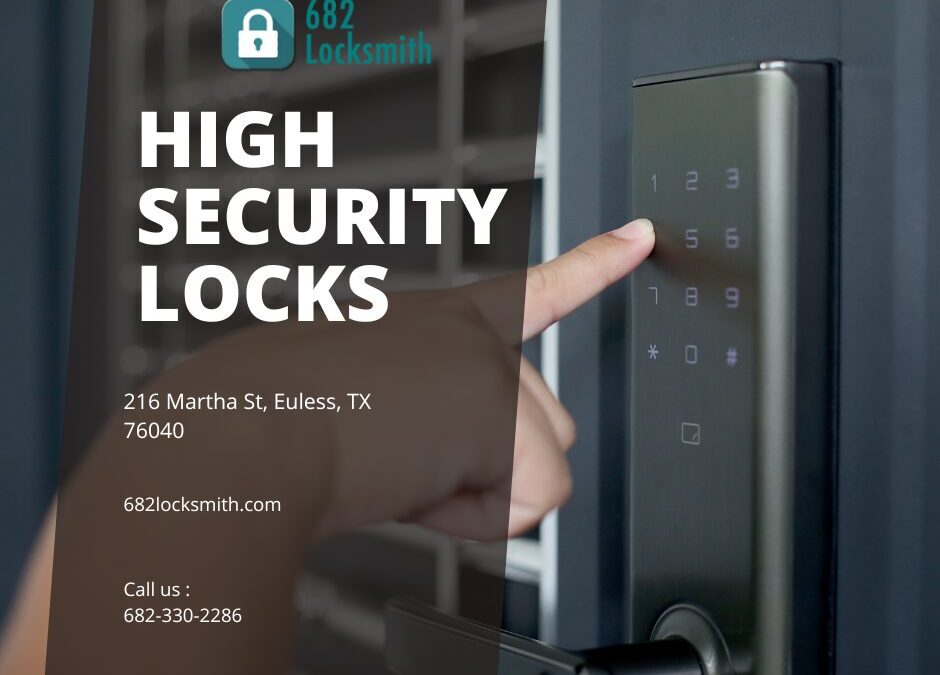
- Electronic keypads
- Mechanical override cylinders
Disabling a key card does not invalidate a mechanical key. Similarly, rekeying a mechanical cylinder does not remove a former employee’s active card or keypad code.
A complete offboarding procedure should identify every way the employee could enter the property.
Include Turnover in Access Control Maintenance
Regular access control maintenance helps ensure that electronic credentials and door hardware continue to work as intended.
After employee turnover, maintenance may include:
- Removing inactive user accounts
- Disabling old cards and fobs
- Changing shared keypad codes
- Checking door schedules
- Reviewing administrator permissions
- Testing card readers
- Testing electronic strikes
- Inspecting door-position sensors
- Confirming audit-log operation
- Testing backup power
- Verifying mechanical override keys
Old accounts should not remain active simply because the physical credential was returned. Removing inactive users keeps the system easier to audit and manage.
Changing Electronic Keypad Codes
An electronic keypad can simplify access by reducing the number of physical keys in circulation. However, keypad security depends on how codes are assigned and managed.
Whenever possible, assign unique codes to individual employees instead of using one shared code. Individual credentials can usually be disabled without disrupting access for the entire staff.
If a shared code is necessary:
- Change it after an authorized user leaves
- Avoid simple or predictable combinations
- Do not post it near the entrance
- Limit who receives it
- Record when it was changed
- Update alarm and gate codes separately
- Remove temporary codes after vendors complete their work
If the keypad does not support individual user management or access logs, upgrading the device may improve accountability.
Inspect Panic Bars and Exit Hardware
Employee turnover is also a useful time to inspect exterior-door hardware and emergency exits. A panic bar installation allows occupants to release certain doors from the inside by pressing the exit device.
Rekeying an exterior cylinder should not interfere with safe egress from inside the building. Exit doors must open as required by the hardware design and applicable safety requirements.
Inspect panic and exit hardware for:
- Delayed latching
- Loose mounting hardware
- Damaged trim
- Sticking push bars
- Misaligned strikes
- Doors that fail to close
- Improper dogging
- Worn exterior cylinders
- Electronic-release problems
Panic hardware requirements vary by occupancy, door use, and local code. Installation and modifications should be handled by qualified professionals familiar with commercial exit hardware.
When New Lock Installation Is the Better Choice
Employee turnover may reveal that a business lock has become worn, unreliable, or unsuitable for the area it protects.
New lock installation may be recommended when:
- The lock has excessive movement
- The key frequently sticks
- The latch does not engage reliably
- The hardware has been forced or damaged
- Replacement parts are unavailable
- The keyway no longer supports the company’s security needs
- The business wants restricted keys
- Electronic access is being added
- The door requires a commercial-grade lock
- The existing hardware is incompatible with the access plan
A new lock should be selected according to the door material, traffic level, access requirements, fire or exit considerations, and surrounding hardware.
Preventing a Business Lockout During Rekeying
Poorly coordinated rekeying can cause an accidental business lockout, especially when several entrances or departments are updated at the same time.
To keep operations moving:
- Schedule work with an authorized manager present
- Identify an entry door that will remain available
- Rekey locks in a planned sequence
- Prepare new keys before invalidating old ones when practical
- Confirm which employees need immediate access
- Test every new key before the locksmith leaves
- Provide secure backup keys to authorized management
- Update emergency-contact information
- Test access cards, keypad codes, and mechanical overrides
- Notify affected supervisors of the change
Do not hide emergency keys outside the building. Store backups in a controlled location with documented access.
Common Rekeying Mistakes After Employee Turnover
Businesses can weaken their own security by handling turnover inconsistently.
Common mistakes include:
- Assuming a returned key was never copied
- Forgetting secondary entrances
- Leaving an access card active
- Failing to change a shared keypad code
- Ignoring file-cabinet or interior-office keys
- Rekeying locks without updating the key log
- Giving new keys to more employees than necessary
- Failing to inspect worn door hardware
- Forgetting gate and parking credentials
- Using an undocumented master-key arrangement
- Delaying action after a high-risk termination
A written procedure helps management apply the same standards to each departure.
Create a Key and Credential Control Policy
Commercial lock rekeying is most effective when it forms part of a broader access-management policy.
The policy should establish:
- Who can authorize keys and credentials
- How access levels are approved
- How keys are labeled and tracked
- Whether employees may duplicate keys
- How lost keys must be reported
- When shared codes are changed
- How departing employees return credentials
- When rekeying is mandatory
- Who can request emergency locksmith service
- How access records are stored
- When the system is audited
- How vendors and temporary workers are managed
Require employees to report lost keys and credentials immediately. Delayed reporting may increase the time an unknown person can attempt to use them.
How Often Should Businesses Review Their Locks?
Employee turnover should trigger a review, but it should not be the only time a company evaluates its doors.
Commercial locks and access permissions should also be checked:
- At regular scheduled intervals
- After a break-in or attempted entry
- After keys are lost
- When moving into a new property
- After changing cleaning or maintenance vendors
- When departments relocate
- When a leaseholder or tenant changes
- Before opening a new location
- After significant renovations
- When hardware becomes difficult to operate
Frequent-turnover businesses may benefit from individually managed electronic credentials combined with controlled mechanical keys for emergency use.
What Affects the Cost of Commercial Lock Rekeying?
The cost varies according to the property and the scope of work.
Factors may include:
- Number of locks
- Type and brand of cylinder
- Condition of the hardware
- Number of new keys required
- Master-key system complexity
- High-security key requirements
- After-hours or emergency scheduling
- Number of buildings
- Door accessibility
- Replacement parts
- Required lock installation
- Electronic access-control work
Request a written estimate that distinguishes rekeying, replacement hardware, new keys, electronic credential changes, and additional repairs.
Benefits of Rekeying After Turnover
A prompt, organized response can provide several advantages:
- Invalidates unreturned physical keys
- Restores control over authorized entry
- Protects sensitive business areas
- Supports accurate key records
- Reduces uncertainty about unknown copies
- Creates an opportunity to update access levels
- Helps identify worn or damaged hardware
- Improves coordination between mechanical and electronic security
- Reduces the likelihood of preventable access problems
- Strengthens the company’s overall business security procedures
Rekeying cannot prevent every security incident, but it closes a clear access gap created by missing or uncontrolled keys.
Commercial Lock Rekeying in Euless, Texas
Employee turnover should not leave business owners wondering who can still enter their property. By collecting credentials, disabling electronic permissions, evaluating physical keys, and rekeying affected doors, a company can restore access control without necessarily replacing every lock.
682 Locksmith provides commercial lock rekeying and related locksmith services for businesses in Euless, Texas. Services may include commercial rekeying, lock installation, master-key system assistance, high-security lock solutions, electronic keypad service, access-control support, panic bar installation, and help during a business lockout.
Contact 682 Locksmith to evaluate your commercial doors and create an appropriate rekeying plan after employee turnover.
Looking for fast, reliable locksmith services in the area? Look no further than 682 Locksmith. Whether you’re locked out, need key replacements, or require enhanced security solutions for your home or business, our experienced team is ready to help. We also offer 24/7 Emergency lockout assistance. Visit us at 216 Martha St, Euless, TX 76040, or call us at 682-300-2286.
Frequently Asked Questions
Should I rekey the locks every time an employee leaves?
Not always. The decision depends on the employee’s access level, whether all keys were returned, whether copies may exist, and the circumstances of the departure. Missing master keys or high-risk terminations may justify immediate rekeying.
Can a commercial lock be rekeyed without replacing it?
Many commercial locks can be rekeyed if their cylinders are compatible and in good condition. Damaged, obsolete, or unsuitable hardware may require replacement.
Does returning a company key eliminate the need for rekeying?
Not necessarily. A returned key may have been copied, shared, or previously lost. Management should evaluate the risk and the quality of its key-control records.
What happens to the old keys after rekeying?
Once the locks are correctly rekeyed, the old keys should no longer operate the affected cylinders. Newly issued keys will operate the revised configuration.
Do access cards need to be disabled if they were returned?
Yes. Returning the card does not necessarily deactivate the credential stored in the access control system. Disable the account or credential through the system’s administration process.
Should a shared electronic keypad code be changed after turnover?
Yes, if the departing employee knew the code. Individual user codes are preferable because one employee’s access can be removed without changing the credentials used by everyone else.
What should I do if a former employee had a master key?
Identify every door the master key could operate and contact a commercial locksmith promptly. A missing master key may require a broader rekeying plan than a limited employee key.
Can locks be rekeyed without causing a business lockout?
Yes. The locksmith can coordinate the work in stages, provide new keys, preserve an authorized entry route, and test each door before completing the service.
Recent Comments