
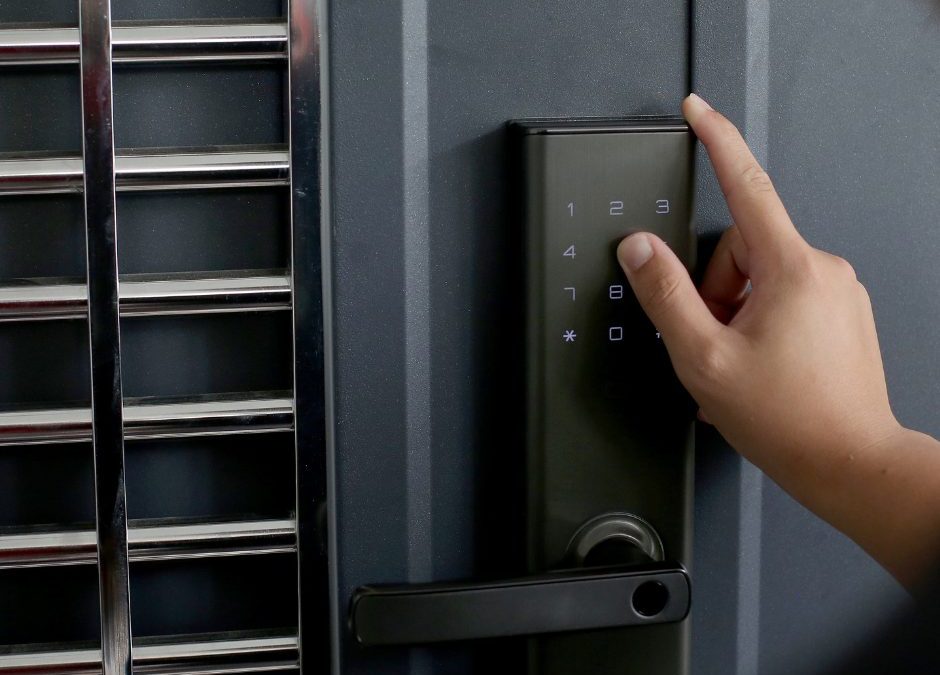
Smart locks have slipped into everyday life with the quiet confidence of modern convenience. They promise keyless entry, mobile access, and upgrades that traditional locks can’t match. But as with all tech-powered security tools, the question hangs in the air like a half-latched door: Are smart locks truly safe?
In this guide, we break down the advantages, potential weaknesses, and how to choose a secure smart lock for your home or business.
What Makes Smart Locks Different?
Smart locks replace or enhance your traditional deadbolt with technology that allows you to lock and unlock doors through:
- Keypads
- Fingerprint scanners
- Mobile apps
- Bluetooth
- Wi-Fi
- Smart home systems
They blend digital convenience with physical protection—when designed well, they represent a sturdy step forward in modern security.
Benefits of Smart Locks
✔ 1. Convenient, Keyless Access
No more fumbling for keys or hiding spare copies under the mat. You control access through codes, smartphones, or biometrics.
✔ 2. Remote Locking and Monitoring
You can check your door’s status anytime and lock or unlock it from anywhere. This is especially helpful for:
- Letting in guests
- Allowing cleaners or dog walkers inside
- Ensuring your door is secure after rushing out
✔ 3. Customizable Access Codes
Create temporary codes for visitors, contractors, or Airbnb guests—then delete them with a tap.
✔ 4. Smart Home Integration
Smart locks work with:
- Alexa
- Google Home
- Apple HomeKit
- Ring
- Security systems
Automation turns everyday routines into seamless rituals.
✔ 5. Enhanced Security Features
Depending on the model, smart locks may include:
- Auto-lock
- Tamper alerts
- Activity logs
- Two-factor authentication
- Built-in alarms
These features extend security beyond what traditional locks can offer.
Are Smart Locks Safe? Understanding the Risks
Like all technologies, smart locks aren’t immune to vulnerabilities. However, understanding them helps you make informed choices.
1. Hacking & Cybersecurity Risks
Wi-Fi and Bluetooth systems can be vulnerable if not properly secured.
Cheap, unencrypted models are the real weak links.
Prevent it:
Select a reputable brand that utilizes encryption and app authentication.
2. Power & Battery Failure
Smart locks require power.
When batteries die, some locks become inoperable.
Prevent it:
- Choose models with low-battery alerts
- Keep backup keys or emergency contacts
- Consider models with battery override ports
3. Mechanical Weakness
A smart lock is only as strong as its deadbolt.
Some budget models are “smart” on the outside but flimsy underneath.
Prevent it:
Select a lock with high ANSI/BHMA security ratings.
4. App Vulnerabilities
If the companion app is outdated or poorly secured, hackers may exploit it.
Prevent it:
- Enable two-factor authentication
- Keep firmware updated
- Download apps only from official stores
How to Choose the Right Smart Lock
1. Check the Security Rating
Look for:
- ANSI Grade 1 for highest residential security
- ANSI Grade 2 for standard homes
Avoid locks with no rating.
2. Decide How You Want to Unlock It
Popular options include:
- Keypad lock
- Fingerprint scanner
- Traditional key backup
- Smartphone app
- Key card or fob
Choose what fits your daily rhythm.
3. Look for Strong Encryption
AES-128 or AES-256 encryption protects data between your lock and device.
4. Choose a Reputable Brand
Trusted manufacturers invest more in cybersecurity and durability.
Examples include:
- Schlage
- Kwikset
- Yale
- August
- Ultraloq
5. Ensure It Fits Your Existing Door
Some smart locks work with your current deadbolt, others replace it entirely.
Ensure the lock matches your door’s thickness and setup.
6. Consider Smart Home Compatibility
Pick a lock that plays well with your ecosystem—whether it’s Apple, Google, or Amazon.
7. Avoid Wi-Fi-Only Budget Models
They may cut corners on encryption, material quality, or firmware security.
When Smart Locks Make the Most Sense
Smart locks are ideal for:
- Busy families
- Airbnb or rental properties
- Home offices
- Elderly residents who struggle with keys
- Homes needing layered security
Used correctly, they add convenience and peace of mind without compromising safety.
Final Verdict: Are Smart Locks Safe?
Yes—smart locks are safe, as long as they are high quality and properly installed.
Their real power lies in combining physical security with digital awareness.
Think of them as traditional locks with extra senses: eyes on activity, ears for tampering, and a memory for who comes and goes.
Choose wisely, install correctly, and you’ll have one of the most secure entry systems available today.
Looking for fast, reliable locksmith services in the area? Look no further than 682 Locksmith. Whether you’re locked out, need key replacements, or require enhanced security solutions for your home or business, our experienced team is ready to help. We also offer 24/7 Emergency lockout assistance. Visit us at 216 Martha St, Euless, TX 76040, or call us at 682-300-2286.
Recent Comments